Meals
Beacon shows today’s planned meals in the Menu widget on the dashboard. Meals are listed in order (Breakfast, Lunch, Dinner, then Snack), each with its own icon:
| Meal | Icon |
|---|---|
| Breakfast | 🌅 |
| Lunch | ☀️ |
| Dinner | 🌙 |
| Snack | 🍎 |
If nothing is planned for today, the widget is hidden.
How meals get onto the display
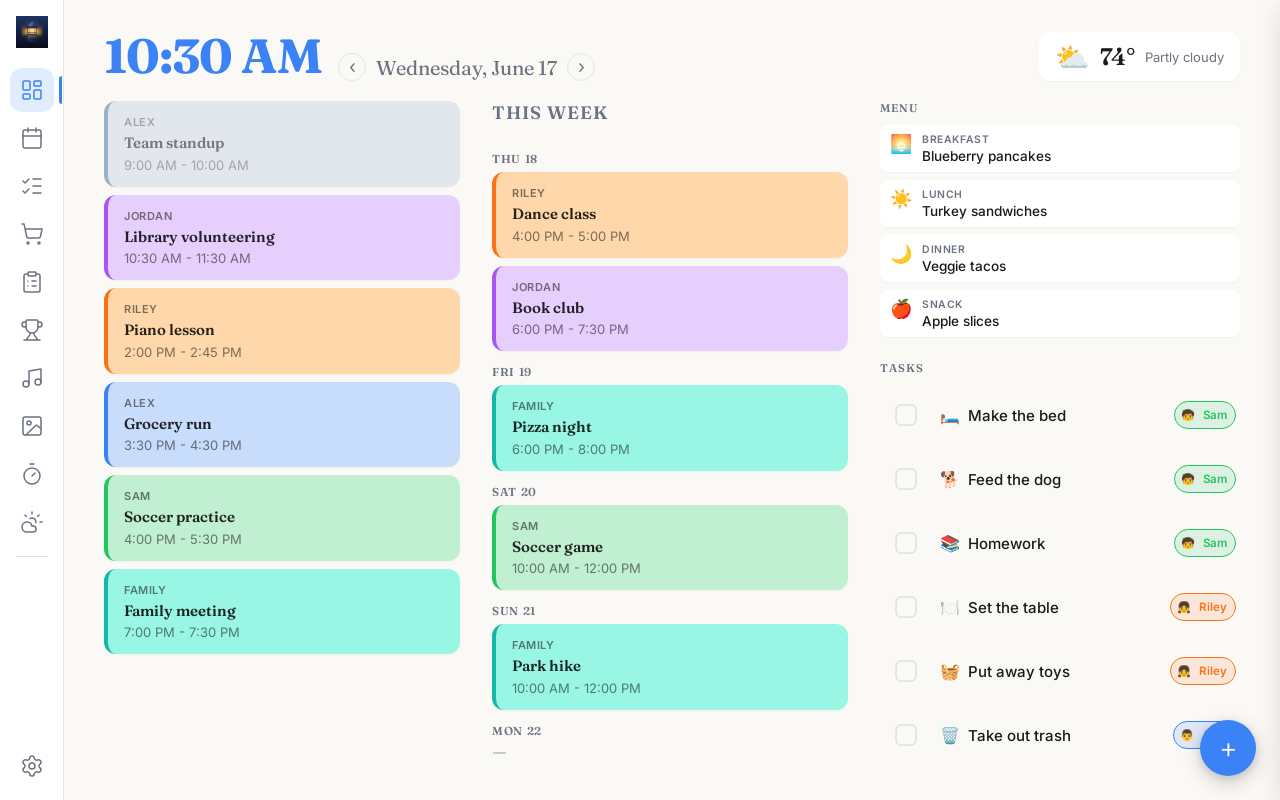
Beacon displays a meal plan, but you don’t plan meals on the display itself. There’s no add or edit screen for meals yet. Instead, the plan is written to Beacon’s data store, and the dashboard re-reads it every 5 minutes.
There are two supported ways to fill it.
1. An AI assistant, using Beacon’s MCP server
Beacon’s MCP server includes two meal tools:
| Tool | What it does |
|---|---|
beacon_get_meal_plan | Reads meals for a date (default today), optionally for several days |
beacon_set_meal_plan | Writes the meal plan |
With the Beacon plugin for Claude Code, /whats-for-dinner shows today’s plan. You can also just ask your assistant something like “put tacos on Tuesday for dinner”.
beacon_set_meal_plan replaces the whole plan with the entries you send. To add a single meal, read the current plan first, add to it, and send the full list back. If meals seem to disappear, this is usually why.
2. Syncing from AnyList
If you plan meals in AnyList, the scripts/sync-meals.mjs script in the repo converts AnyList’s meal plan output into Beacon’s format:
node scripts/sync-meals.mjs anylist-output.txt --from 2026-12-01 --to 2026-12-14 > meal-plans.jsonWithout --from and --to, it covers this week’s Monday through three weeks out. It picks the meal type from [Breakfast], [Lunch], [Dinner] or [Snack] in the AnyList entry, and defaults to Dinner.
Meal plan format
Each entry looks like this:
{ "date": "2026-12-01", "meal_type": "Dinner", "name": "Instant Pot Spaghetti" }| Field | Required | Notes |
|---|---|---|
date | Yes | YYYY-MM-DD, in your local calendar day |
meal_type | Yes | Breakfast, Lunch, Dinner, or Snack |
name | Yes | What’s being served |
recipe_id | No | An AnyList recipe ID, if linked |
On the Home Assistant add-on, the plan is stored as beacon_meal_plans.json in the add-on’s /data folder, so it survives updates and is included in Home Assistant backups.
Grocy
Beacon’s grocery integration works with Grocy, but Grocy’s own meal plan doesn’t currently feed the Menu widget. Use one of the methods above instead. See Grocery.
Troubleshooting
The Menu widget isn’t showing. Nothing is planned for today. Check that an entry exists with today’s date in YYYY-MM-DD form, and wait up to 5 minutes or reload the page.
Meals show on the wrong day in the evening. Versions before 1.40.1 compared meal dates against UTC, so in US time zones the widget could jump to tomorrow’s meals in the afternoon or evening. Update to the latest version.